Let's call the react-doctor
- DancingMacaw
- Development
- 02 Jun, 2026
About React Native Doctor
Many of you might have heard of expo-doctor. A cli tool that helps to do diagnostics for your expo project. It checks dependency compatibility and configuration for example. Very useful to detect any possible errors.
Recently I have discovered react-doctor. A similar cli tool. This deterministic scanner checks your project not for configurations. It will review your code base for isssues across state & effects, performance, architecture, security, and accessibility.
The website states: It is built for teams using React directly, Next.js, Vite, TanStack, React Native, Expo, and similar React stacks.
It works out of the box. You can simply start it with:
npx react-doctor@latest
You can show more results with the verbose flag:
npx react-doctor@latest --verbose
If you only want to check the diff:
npx react-doctor@latest --verbose --diff
Or if you want to check a specific branch use:
npx react-doctor@latest --diff <branch_name>
If you have code changes, it will ask if the changed files or the entire code base should be checked.
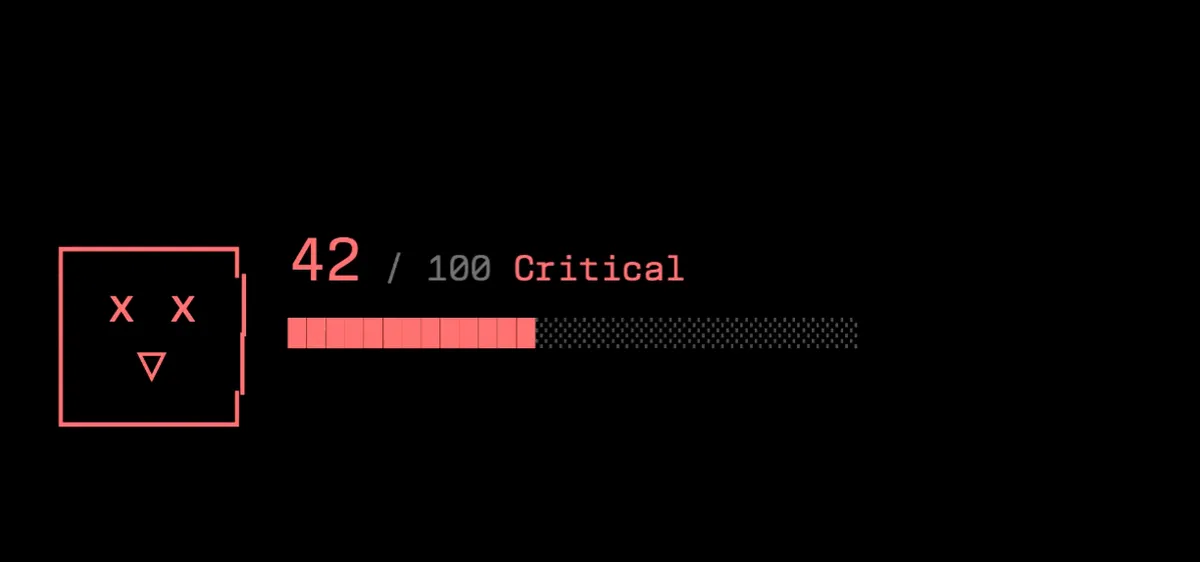
After the scanning is done, the react doctor will show you the top 3 errors, a code score and the option to show the prompt, copy the prompt, skip or open claude code directly.
Why I use react-doctor when vibe coding
The AI writes bad code. No matter which model you use. Nothing will be perfect and really clean. I have seen a lot. Anti Pattern are used everywhere. How dare you implementing a conditionally rendered hook Gemini?!
Some weeks ago I started using oxfmt and oxlint, I am currently reviewing how these tools are used together in a most effective way. Spoiler: There are oxlint and eslint plugins available for react doctor!
For agents, the React Doctor skill can be installed directly. The installer is able to detact multiple agents and will ask during install, for which one it should be configured.
npx react-doctor@latest install
Configure React-Doctor in a Github Action
One way to use the cli tool react-doctor is via Github Action or in cli in general.
Example Github Action
name: React Doctor

on:
  pull_request:
    types: [opened, synchronize, reopened, ready_for_review]

permissions:
  contents: read
  pull-requests: write
  issues: write

concurrency:
  group: react-doctor-${{ github.event.pull_request.number || github.ref }}
  cancel-in-progress: true

jobs:
  react-doctor:
    runs-on: ubuntu-latest
    steps:
      - uses: actions/checkout@v5
      - uses: millionco/react-doctor@main
Configuration and Fine Tuning of React Doctor
React doctor can also receive configurations via a config file. It will discover a file with the default name doctor.config.ts in your directory automatically.
Also .js or .json file endings are possible.
// doctor.config.ts
import type { ReactDoctorConfig } from "react-doctor/api";

export default {
  lint: true,
  rules: {
    "react-doctor/no-array-index-as-key": "off",
  },
} satisfies ReactDoctorConfig;
An important note: Telemetry is activated by default. As far as I could read there is “only” a sentry used which will receive anonumous data. If you prefer to opt-out, simply run commands with the —no-telemetry flag.
Conclusion
The React Doctor tool is really powerful. I was surprised I haven’t heard of it before, because it has already 11k stars on Github.
If you have time, you should check it out.
A lot of documentation can be found at https://react.doctor/docs