Running Gemma4 local
- DancingMacaw
- Development
- 12 Apr, 2026
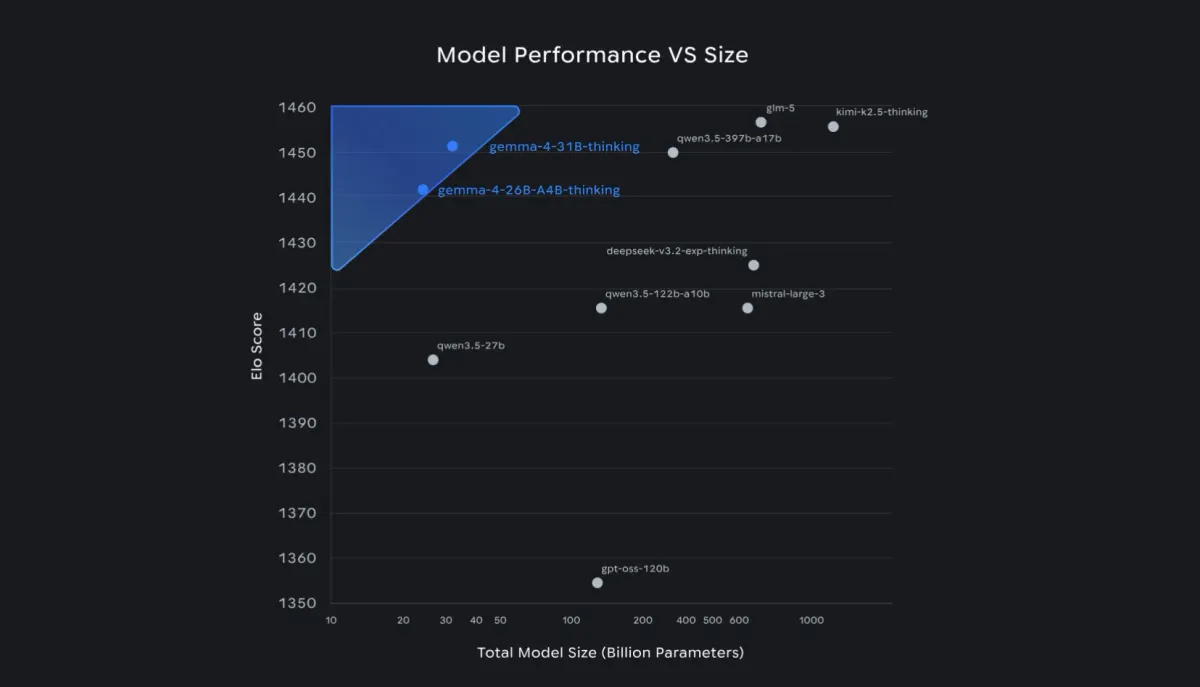
Recently Google release Gemma4, the new open ai model which also permits commercial use. The capabilities are very interesting, reasoning, image creation, text to audio, audio transcription and text creation in over 140 languages! Gemma also provides small model variants. The 2B and 4B are very interesting for mobile devices.
Why running Gemma4 locally?
In this blog post I cover how you can use Gemma4 to your advantage and in your workflows.
While cloud-based APIs are convenient, running Gemma4 locally offers several critical advantages. Not only for developers, but also for privacy focused users:
- Data Sovereignty: Your data never leaves your hardware, which is essential for sensitive app data.
- Zero Latency & Cost: Once downloaded, inference is free and works without an internet connection.
- Custom Workflows: Deeply integrate the model into your local scripts and automation tools without worrying about API rate limits.
Finding the right ai model for your hardware
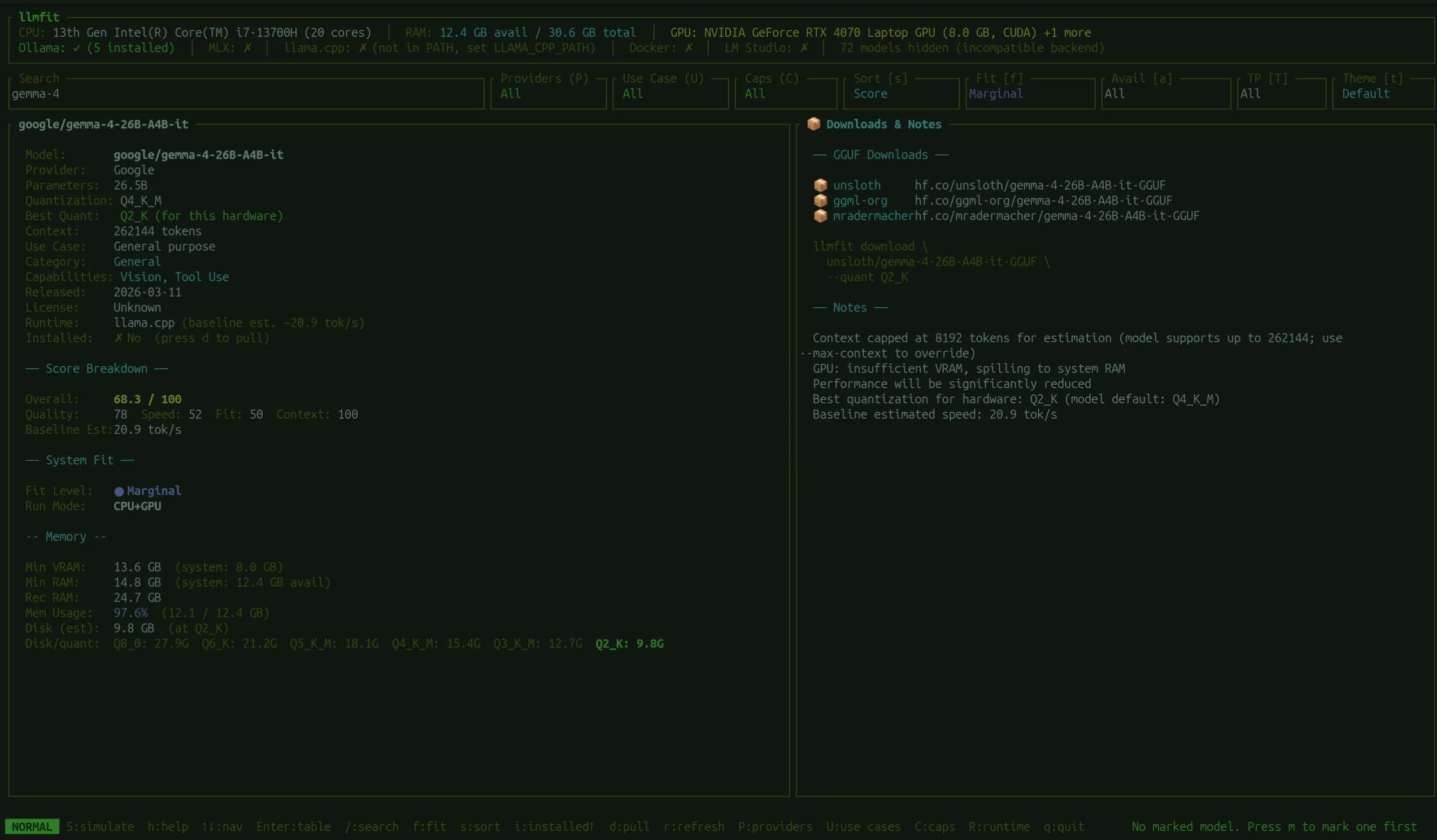
I stumbled upon a nice tool called llmfit that helps you finding the right model for your hardware. Since I am working on a laptop I can’t use every model I’d like to use.
The tool shows a score value that gives you a quick impression of how well the model would run on your machine.
For my device the 4B model was the best choice.
Using Gemma 4 with ollama
The simplest way to get Gemma4 up and running is via Ollama. It handles the complexities of model weights and provides a clean API for your local applications.
ollama pull gemma4:e4bIf you want to use the CLI, you can directly start chatting via:
ollama run gemma4:e4bI enjoy the simple setup. The Ollama API works great and so I had a tool in a couple of minutes ready to translate all the app store descriptions for my apps, like Memorybank. Since Gemma4 supports 140+ languages, the quality of these localized descriptions is noticeably higher than previous open models.
Conclusion
Gemma4 makes high-end AI accessible to everyone. By running it locally, you gain full control over your creative and developmental workflows. Whether you are building mobile apps or automating content creation, the 2B and 4B models are currently the best-in-class options for local deployment. Significant is also that using this model for commercial purposes is permitted.