Easy PDF Signer is Live: Fast, Private PDF Signing in Your Browser
- DancingMacaw
- Release , App
- 04 Oct, 2026
We are excited to announce that Easy PDF Signer is now available directly in your web browser at signpdfnow.app!
Whether you need to quickly sign an NDA, fill a client contract, merge multiple documents, or compress a large invoice before emailing it, you can now do it in seconds with zero friction and complete data privacy.
⚡ Key Takeaways (TL;DR)
- Instant Browser Access: Use signpdfnow.app instantly without creating an account or paying monthly subscriptions.
- 100% Client-Side Privacy: Your PDF files are processed entirely in local device memory and never uploaded to external servers.
- Full Document Toolkit: Includes digital signature placement, PDF merging, size compression, password protection, and page reordering.
- Available Everywhere: Works on modern desktop browsers, tablets, and native apps on iOS and Android.
Why Traditional PDF Signing Tools Are Broken
Most online PDF converters and signature platforms follow a flawed workflow: you must upload confidential files to third-party cloud servers, register with an email address, and often face aggressive paywalls or subscription traps.
For freelancers, legal professionals, and privacy-conscious businesses, uploading sensitive customer contracts or financial statements to unknown servers is a major security risk and a potential GDPR violation.
Easy PDF Signer takes the opposite approach: radical local privacy. Using modern WebAssembly and HTML5 Canvas technology, all document rendering, signature embedding, and file manipulation occur entirely on your local machine.
Try Easy PDF Signer OnlineWhat You Can Do with Easy PDF Signer
At signpdfnow.app, you get access to a full suite of client-side PDF utilities:
1. Draw, Scale, and Place Signatures
Draw your signature with smooth vector strokes, fine-tune the size with a scaling slider, and drag it to the exact signature line on any page of your document.
2. Merge Multiple PDFs into One
Drag and drop multiple PDF files, arrange their order with a click, and download a compiled PDF document in seconds.
3. Smart PDF Compression
Shrink oversized PDF attachments to meet email and upload limits while preserving crisp text quality.
4. Protect & Unlock Documents
Apply password encryption to protect sensitive data before sharing, or remove passwords from protected files you own.
5. Page Management
Quickly rotate misoriented scans or delete unnecessary blank pages from your final document.
How to Sign a PDF in 3 Easy Steps
- Open the Tool: Head over to signpdfnow.app in any modern browser.
- Drop Your File & Draw Your Signature: Upload your PDF document and draw your signature on the interactive canvas.
- Position & Download: Drag the signature to the desired location on the page and click Download Signed PDF.
Use it on the Web or on Mobile
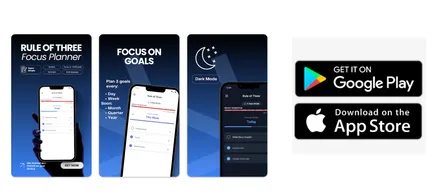
While the web version at signpdfnow.app is great for desktop and laptop workflows, you can also download our native mobile apps for on-the-go document management:


Frequently Asked Questions (FAQ)
Are my PDF files uploaded to your servers?
No. Easy PDF Signer operates 100% client-side in your browser or locally within the app. Your files never leave your device.
Is Easy PDF Signer free to use?
Yes, the core web utilities at signpdfnow.app are free with no sign-up or credit card required.
Is it compliant with GDPR and European privacy laws?
Yes. Because document processing occurs strictly in local device memory without data transmission or server logging, it complies naturally with strict GDPR / DSGVO requirements.
Does it work on iPhone and Android?
Yes, you can access the responsive web app directly in Safari/Chrome or download the dedicated native apps on the App Store and Google Play Store.
Try Easy PDF Signer Today
Ready to sign documents without the bloat and privacy concerns? Bookmark signpdfnow.app and experience fast, private document signing!