Juno Senior Launcher

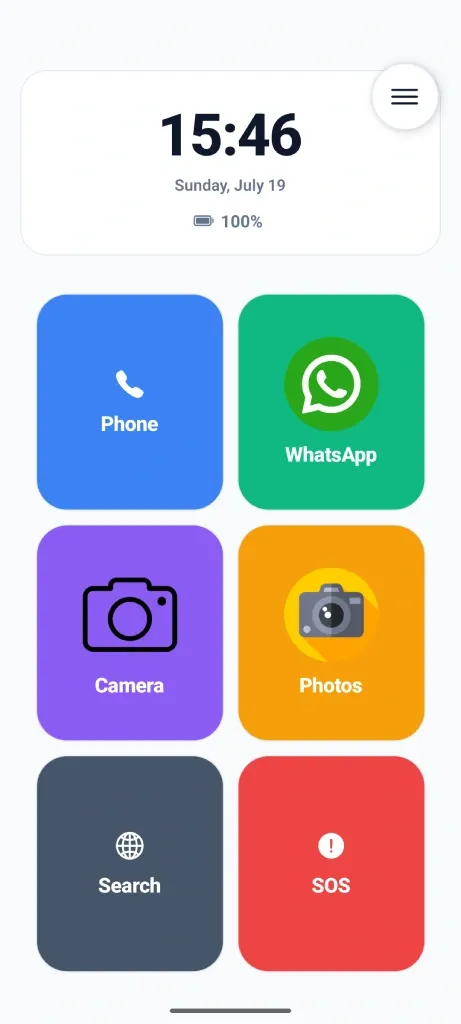
Juno replaces the cluttered Android menu with large, clear buttons. Set up by the family in ten minutes – operated completely on its own, every day.
It is designed to solve common smartphone issues for seniors, such as small text, complex menus, shaky hands, and accidental muting.

Key Features
- Large Buttons & Big Text: Simple, oversized icons and readable labels designed for aging eyes, cataracts, or macular degeneration.
- Tremor & Misclick Protection: Configurable touch delay helps users with shaky hands prevent accidental taps.
- One-Touch SOS Emergency: Dials emergency contacts and automatically sends an SMS with real-time Google Maps GPS location, complete with an audible countdown to avoid false alarms.
- Photo Speed Dial: Set up one-tap direct calling with clear, recognizable photos of family members and caregivers.
- Volume Protection: Automatically restores ringtone volume if accidentally muted so important calls are never missed.
- Simplified Call Screen: Large caller photos with a prominent red disconnect button to relieve phone anxiety.
- Low Battery & Notification Alerts: Full-screen visual alerts remind seniors to charge their phone, and pulsing colored borders highlight unread messages.
- Admin PIN Lock & Kiosk Mode: Locks down the screen to prevent accidental app deletions, moved icons, or lost Android settings.
- Google Drive Backup & Quick Setup: Export settings to the cloud and configure a new senior phone in under 2 minutes.
- 100% Ad-Free & Privacy First: Zero intrusive ads, no data selling, and minimal battery usage.
Screenshots
Official Website
For full guides, setup assistance, and detailed documentation, please visit the official website: